Missing Products
Pro+Customer demand for products you don't sell. Direct revenue insight into what to add next.
What Are Shoppers Trying to Buy That You Don't Sell?
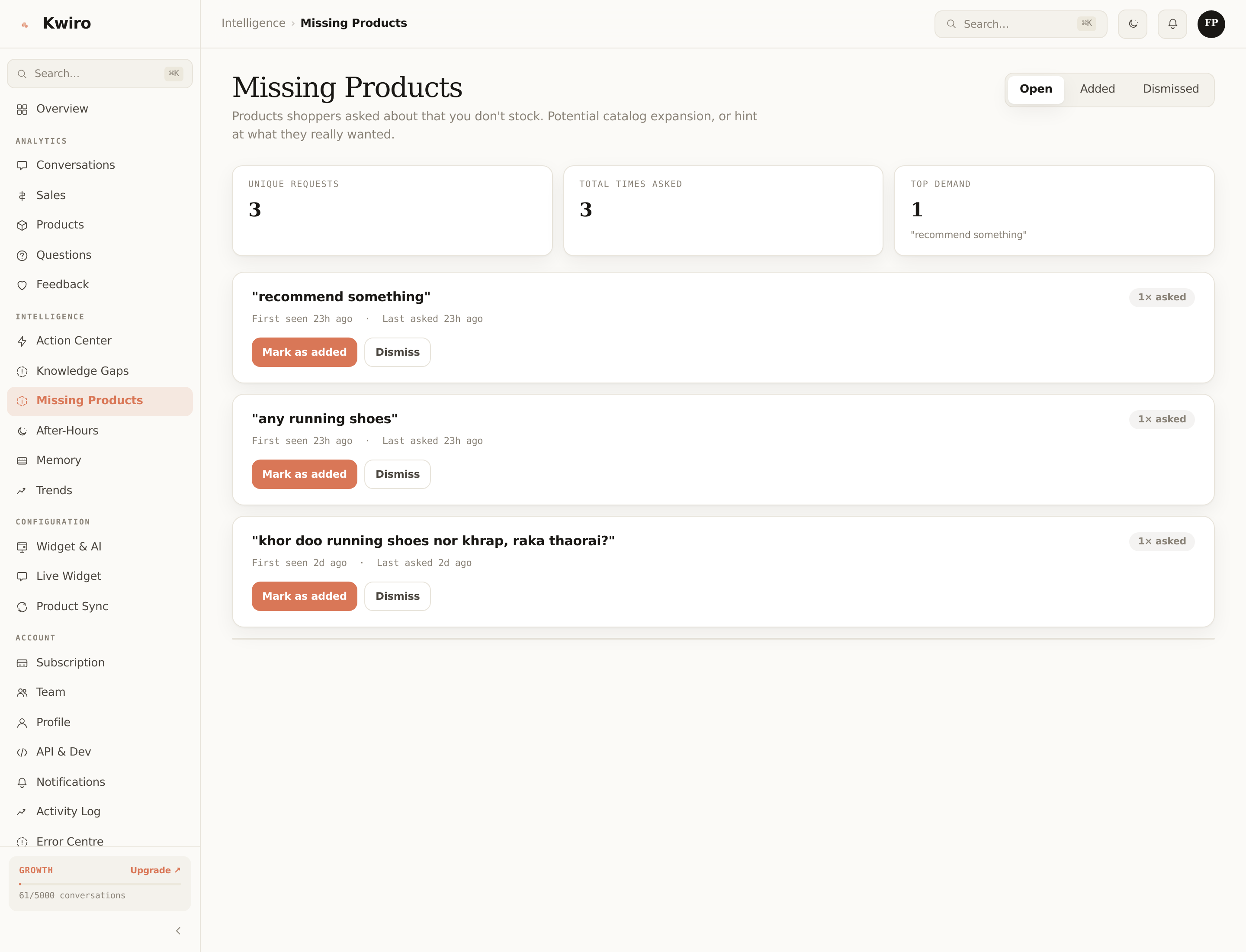
Whenever a shopper asks for a specific product the AI can't find in your catalog, that's recorded as a Missing Product signal. The page ranks them by demand — how many distinct shoppers asked for the same thing — so you know exactly what's worth adding.
A Real Example
A hiking-gear store ran Kwiro for two months and the top-3 missing products were:
- "wool socks" — 38 distinct shoppers asked for them (not just merino, specifically wool).
- "trekking poles for short people" — 24 shoppers, all asking about the same use case.
- "kids' rain jackets" — 19 shoppers, all looking for the kid's-section gap.
The owner added wool socks and short-stature trekking poles within the next month. Those two new SKUs accounted for 6% of revenue in the following quarter — direct from customer demand they couldn't have known about otherwise.
How Detection Works
When a shopper's message includes a clearly product-shaped query ("do you have X?", "looking for Y") and the AI's vector search returns no relevant matches, Kwiro:
- Normalizes the query (lowercase, lemmatized) so different wordings collapse.
- Increments the frequency counter for that normalized query.
- Records the conversation ID + first-seen / last-seen timestamps.
You see them ranked by frequency on the Missing Products page.
Three Statuses
- Open — surfaced gap, no action yet.
- Added — you sourced and added the product. Click "Mark added" — Kwiro stops surfacing it as a gap and tracks how that conversion improves.
- Dismissed — you've decided you won't add this product (out of scope for your brand, license issues, etc.). Hides it from the list.
You can re-open a dismissed entry any time from the Dismissed tab.
Note on Quality
Some surfaced "missing products" will be junk:
- Typos that the AI didn't recover from
- Generic queries ("do you have anything cheaper?")
- Products that exist but the AI failed to match (the embedding was off)
Eyeball the list. The top of the list is always meaningful; the long tail can be skipped.
Pagination + Filtering
The page paginates 20 entries at a time. You can filter by status (open / added / dismissed) and by date range.
Free Tier
Available on all paid tiers. The Free plan locks this page behind an upgrade peek — you can see the page structure with mock data, but real demand insights are paid-only.
Related reading
Getting Started
What is Kwiro?
Learn what Kwiro does, who it's for, and how it turns your WooCommerce store into a 24/7 sales machine.
ReadDaily Use
Your Dashboard Overview
A guided tour of the Kwiro dashboard -- see your AI's performance, revenue impact, and customer conversations at a glance.
ReadCustomization
Customizing Your Widget
Match the Kwiro chat widget to your store's brand with custom colors, position, welcome message, and bot name.
Read