What is Kwiro?
Learn what Kwiro does, who it's for, and how it turns your WooCommerce store into a 24/7 sales machine.
Your Store Deserves a Sales Assistant That Never Sleeps
Kwiro is an AI-powered sales assistant built specifically for WooCommerce stores. Think of it as hiring a knowledgeable salesperson who works around the clock, knows every product in your catalog, and helps customers find exactly what they need.
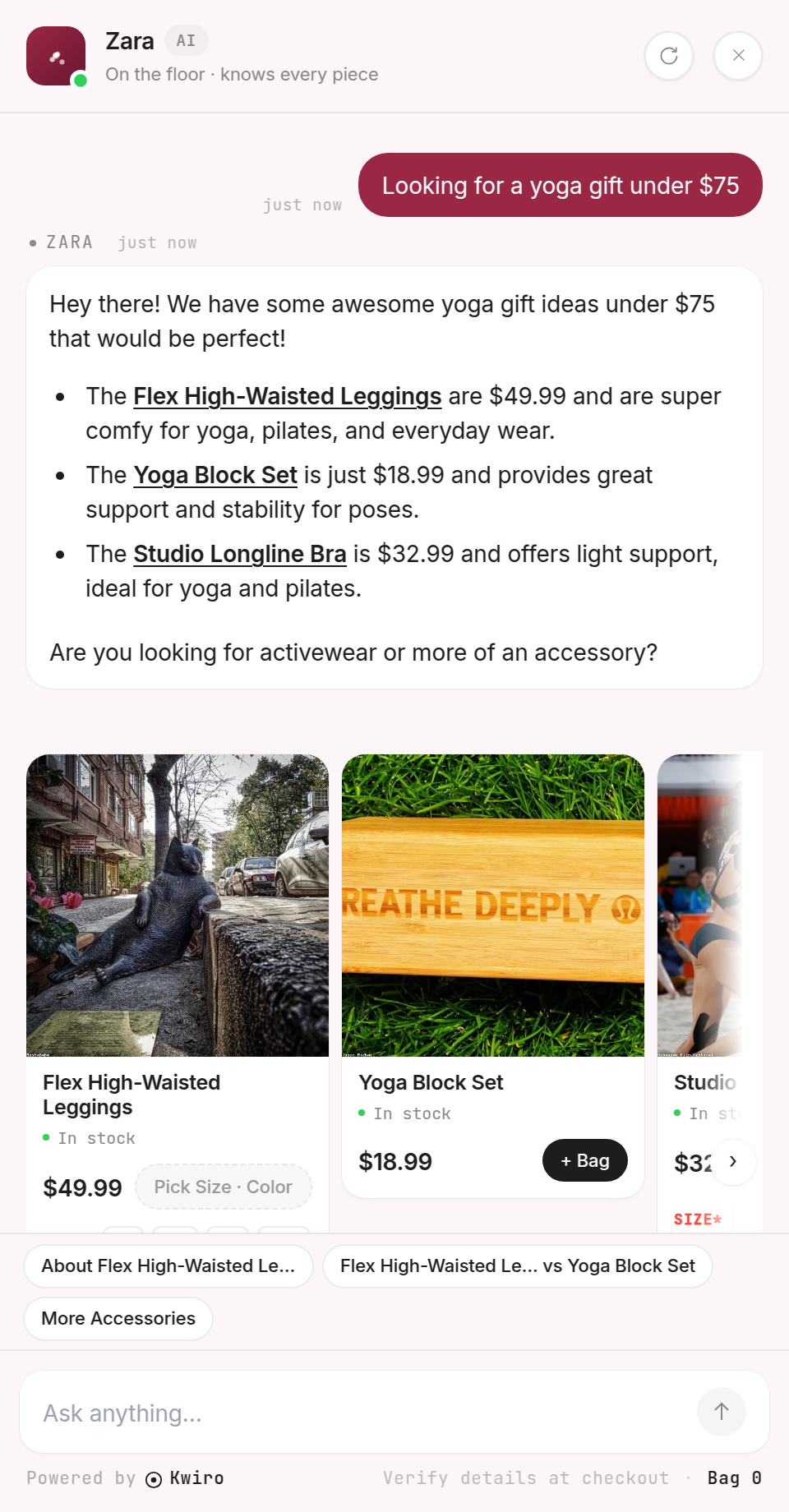
What Makes Kwiro Different From a Chatbot?
Most chatbots answer pre-written questions with pre-written answers. If a customer asks something you didn't prepare for, the bot is useless.
Kwiro actually understands your products. When a customer types "I need a birthday gift for my mom under $50," Kwiro searches your entire catalog, finds the best matches, and recommends them with images, prices, and direct links to buy. It handles follow-up questions, compares products, and guides shoppers toward a purchase -- just like a great in-store salesperson would.
Who Is Kwiro For?
Kwiro is built for WooCommerce store owners who want to:
- Increase sales without hiring more staff
- Help customers find the right products faster
- Reduce abandoned carts by answering questions before customers leave
- Save time on repetitive product questions
Whether you sell clothing, electronics, handmade goods, or anything in between, Kwiro learns your catalog and starts selling for you.
What You Need to Get Started
Before installing Kwiro, make sure your store meets these requirements:
- WordPress 5.8 or higher (most stores already have this)
- WooCommerce 7.0 or higher (check under Plugins in your dashboard)
- Published products with descriptions and prices (the more detail, the better Kwiro performs)
That's it. No coding, no technical setup, no server configuration. Install the plugin, connect your account, and Kwiro starts learning your products immediately.
How It Works in 30 Seconds
- You install the Kwiro plugin from your WordPress dashboard
- Kwiro reads your entire WooCommerce product catalog
- A chat widget appears on your store for customers to use
- Customers ask questions, Kwiro recommends your products
- You see every conversation and the revenue it generates in your dashboard
Related reading
Daily Use
Your Dashboard Overview
A guided tour of the Kwiro dashboard -- see your AI's performance, revenue impact, and customer conversations at a glance.
ReadCustomization
Customizing Your Widget
Match the Kwiro chat widget to your store's brand with custom colors, position, welcome message, and bot name.
ReadSmarter AI
Memory Inspector
Pin, edit, or delete what your AI has learned. The unique tool that lets you control the patterns Kwiro uses to sell.
Read