Setting Your AI's Personality
Growth+Control how your Kwiro AI assistant talks to customers -- from professional and formal to friendly and casual.
Give Your AI the Right Voice for Your Brand
Every store has a different vibe. A luxury watch store should sound different from a fun pet accessories shop. Kwiro lets you control the tone and style of your AI assistant so it matches your brand perfectly.
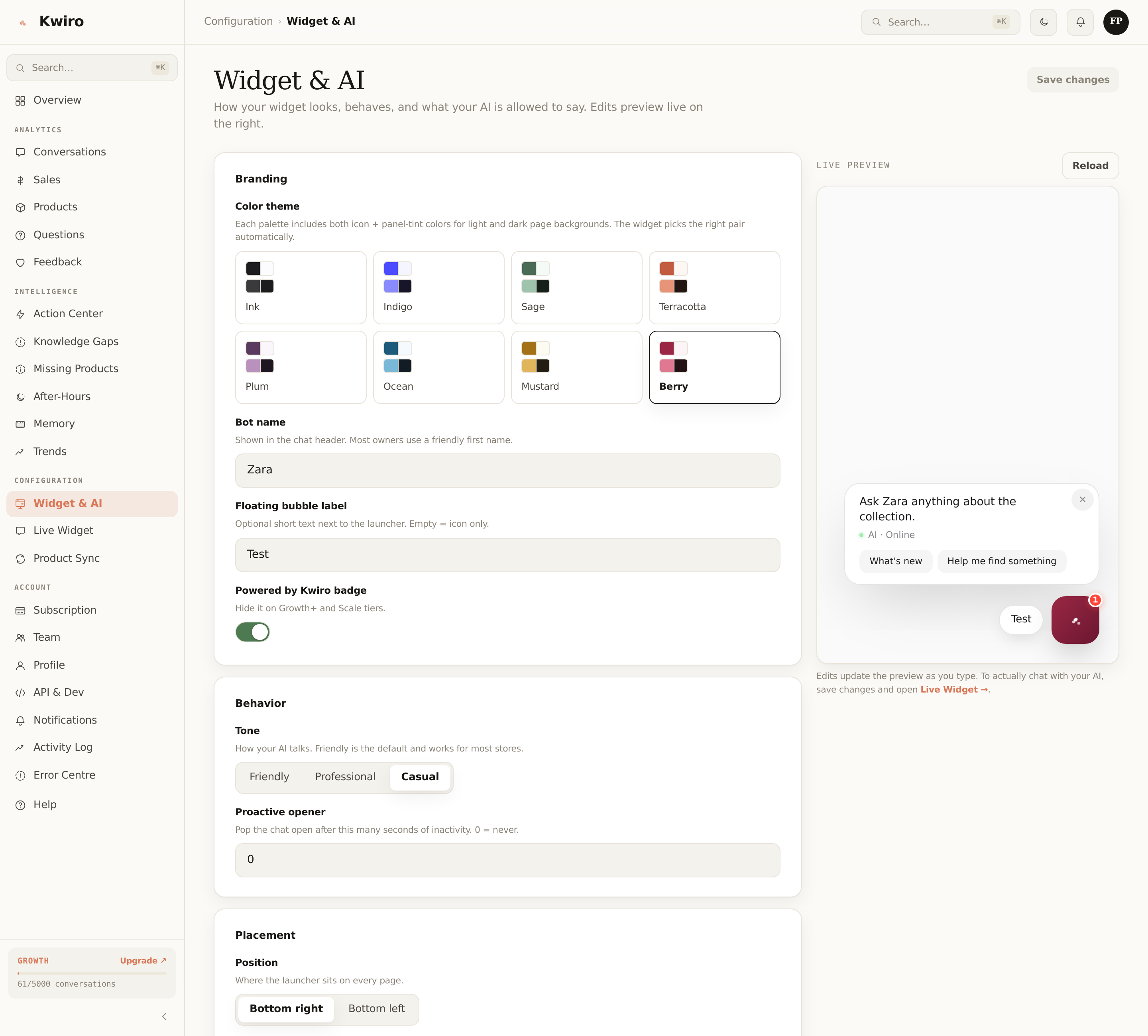
Where to Find Personality Settings
- Go to AI Sales Assistant in your WordPress sidebar
- Click the AI Settings tab
- Scroll to the Personality & Tone section
Choose a Tone
Select one of the built-in tone options:
- Professional -- Polished and straightforward. Great for electronics, business supplies, or luxury goods. Example: "I'd recommend the Titanium Pro Watch. It features a sapphire crystal display and is currently available at $299."
- Friendly -- Warm and approachable. Works well for most stores. Example: "Great choice looking at watches! The Titanium Pro is one of our favorites -- gorgeous sapphire display and it's on sale for $299 right now."
- Casual -- Relaxed and conversational. Perfect for younger audiences or lifestyle brands. Example: "Oh you'll love the Titanium Pro! Seriously cool sapphire display, and it's $299 which is a great deal."
The tone affects how the AI phrases its responses, but it always stays accurate about your products and prices.
Add Custom Instructions
The Custom Instructions text box lets you give the AI specific guidance about your store. This is where you can really fine-tune the experience. Some useful examples:
- "Always mention our free shipping on orders over $75"
- "We specialize in eco-friendly products -- highlight sustainability when relevant"
- "Our target customers are new parents looking for safe baby products"
- "If someone asks about sizing, recommend they check our size guide page"
- "Never recommend Product X and Product Y together -- they are not compatible"
Keep instructions clear and specific. You can add as many as you like.
Set Product Focus Areas
Under Product Focus, you can tell the AI which products or categories to prioritize:
- Featured Products -- the AI will highlight these when customers ask general questions like "what do you recommend?"
- New Arrivals -- tell the AI to mention recent additions to your catalog
- Sale Items -- instruct the AI to suggest items currently on sale when appropriate
Save and Test
Click Save Settings, then open your store and test a few questions. Try asking the same question before and after changing the personality to see the difference in tone.
Related reading
Getting Started
What is Kwiro?
Learn what Kwiro does, who it's for, and how it turns your WooCommerce store into a 24/7 sales machine.
ReadDaily Use
Your Dashboard Overview
A guided tour of the Kwiro dashboard -- see your AI's performance, revenue impact, and customer conversations at a glance.
ReadSmarter AI
Memory Inspector
Pin, edit, or delete what your AI has learned. The unique tool that lets you control the patterns Kwiro uses to sell.
Read