The Action Center
Pro+A focused list of what needs your attention this week — issues, opportunities, and wins, ranked by impact.
One Page That Tells You Where to Focus
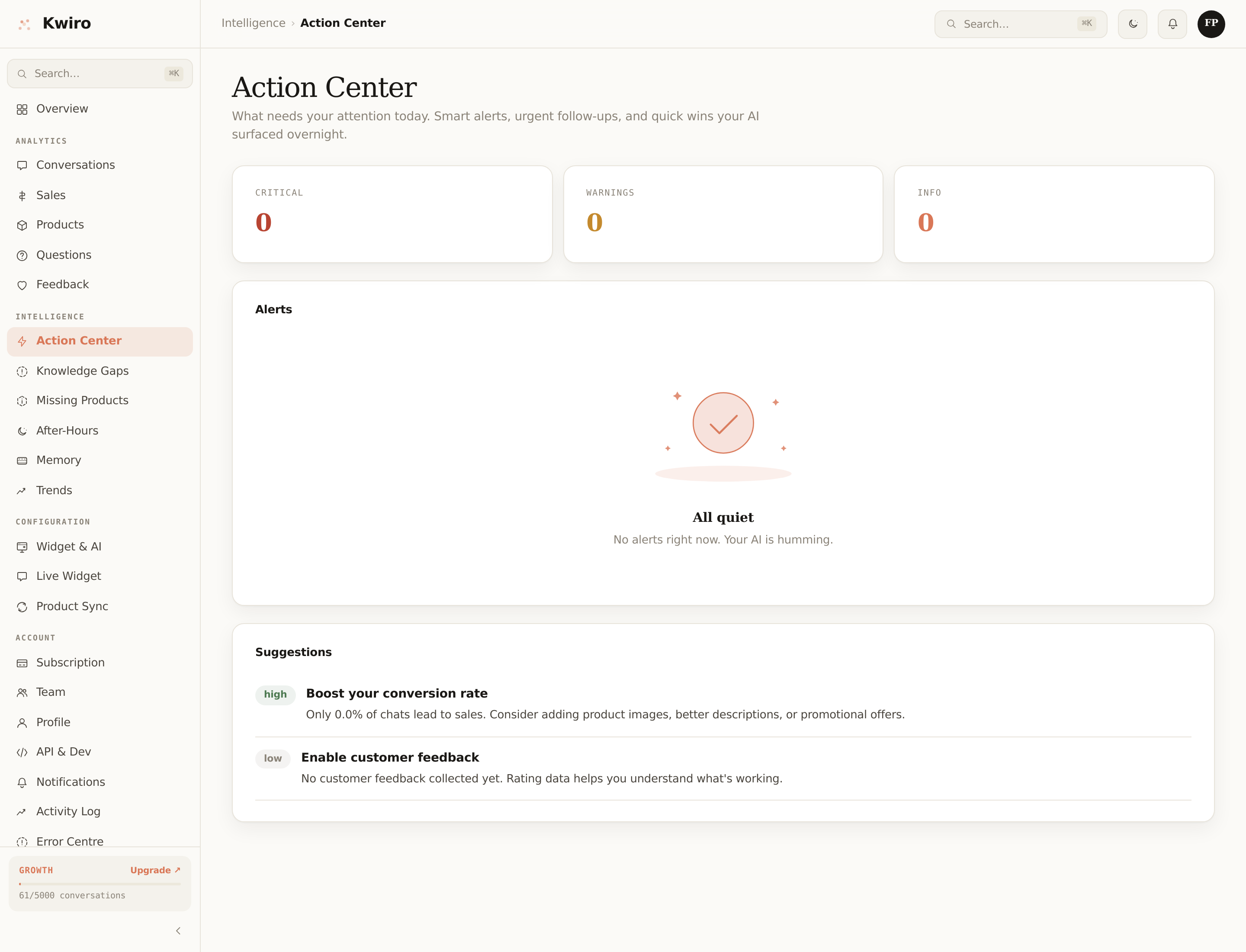
The dashboard has lots of pages. Most days you don't need most of them. The Action Center is the one place to open when you log in — it surfaces what's worth your time right now.
What Shows Up Here
The Action Center collects three kinds of cards, ranked by impact:
🔴 Critical alerts (red)
Things that are actively losing you sales:
- Sync failed. Your catalog hasn't updated in over 24 hours, so the AI is recommending stale info.
- Plan limit reached. New conversations are entering overage or being soft-degraded depending on your settings.
- Payment failed. Your card was declined. If not fixed in 7 days, your plan downgrades to Free.
🟡 Warnings (yellow)
Things drifting in the wrong direction:
- Knowledge gaps growing. Multiple shoppers asked the same question your AI couldn't answer well — see Knowledge Gaps and resolve them.
- Satisfaction dropping. Last 7 days' average rating is more than 0.5 below your 30-day baseline.
- 80% of plan used. At your current pace you'll hit your limit before month-end. Plan ahead — upgrade, switch to strict mode, or do nothing if your overage cap is set.
🟢 Opportunities (green)
Things going well that you can amplify:
- Top product surge. A product is being recommended 3× more than baseline — make sure it has good photos and copy.
- High-conversion conversations. A specific welcome message variant is converting noticeably better — consider making it your default.
- New language detected. Shoppers in a new language started chatting — your AI is handling them, no action needed.
Why This Order Matters
Each card shows the metric value, the time window, and a one-click "Fix it" or "Open" action. We rank them by estimated revenue impact so you triage top-down.
Most weeks the Action Center will be empty or near-empty. That's a good thing — it means everything's running.
When Should I Check It?
Once a week is usually enough. Twice a week if you're under 90 days from launch and tuning everything.
If you'd rather get the highlights by email, see Daily & Weekly Digest (rolling out — for now, the Action Center is the surface).
Related reading
Getting Started
What is Kwiro?
Learn what Kwiro does, who it's for, and how it turns your WooCommerce store into a 24/7 sales machine.
ReadCustomization
Customizing Your Widget
Match the Kwiro chat widget to your store's brand with custom colors, position, welcome message, and bot name.
ReadSmarter AI
Memory Inspector
Pin, edit, or delete what your AI has learned. The unique tool that lets you control the patterns Kwiro uses to sell.
Read